Defensive Programming in R: Validate Clinical Data with checkmate and assertthat
Assert the structure, types, ranges, uniqueness, and allowed values of an ADaM dataset at the top of your script, so a bad assumption fails loudly and early — a corrected dataset, not a re-run table
Pharma & Clinical
A complete, runnable tutorial on defensive programming in R — making a clinical analysis script fail loudly and early when its input data violates expectations. Learn why fail-fast assertions matter (a wrong assumption caught at the top of a script is a corrected dataset; caught in a table it is a full re-run), then validate a real ADaM dataset before you compute: start from base stopifnot, upgrade to checkmate for rich, expressive checks on a data frame’s structure, types, ranges, uniqueness, and allowed values, use assertthat for readable predicates with custom messages, and wrap it all in one reusable “gate” function that runs at the top of every script. On public pharmaverse data, so every line runs.
TipKey takeaways
- Defensive programming means a script checks its assumptions before it acts on them. You assert what the input data must look like at the top; if reality disagrees, the script stops there with a clear message instead of computing a wrong result and carrying it downstream.
- An assertion is a stated fact that must be true, enforced at runtime. “
AGEis numeric, has no missing values, and lies between 0 and 120.” If it holds, execution continues silently; if not, it errors. stopifnot()is the zero-dependency floor; checkmate gives rich, expressive checks on a data frame (structure, type, range, uniqueness, allowed values) with messages that name the exact problem; assertthat gives readable predicates and custom, human-worded failure messages.- Fail early, and it is cheap. A bad assumption caught at the top of a script is a corrected dataset; the same bad assumption caught in a finished table is a full re-run of everything below it.
- Package the checks into one gate function. A
validate_adsl()that runs every assertion and returns the data invisibly turns “I hope the input is clean” into a single, reusable, auditable line.
Introduction
The dataset looked fine. The subject count was right, the columns were all there, the script ran to the end without a single error. Then someone noticed the safety table counted phantom subjects — a SAFFL (safety-population flag) value of "U" had slipped in from an upstream merge, and the code that filtered on SAFFL == "Y" had quietly done exactly what it was told, on data that was never valid. Nothing failed. That is the problem.
Defensive programming is the fix: write code that distrusts its input and checks its assumptions before it acts on them. Instead of hoping the ADaM (Analysis Data Model) dataset handed to your analysis is clean, you assert what it must be — the right columns, the right types, values in range, a unique subject key, only the allowed codes — and if any assertion is false, the script stops at the top, loudly, with a message that names the problem. This lesson builds that discipline in R three ways: base stopifnot(), the checkmate package, and the assertthat package, applied to a real ADSL — the Subject-Level Analysis Dataset, one row per subject — from public pharmaverse data, so every line runs as written.
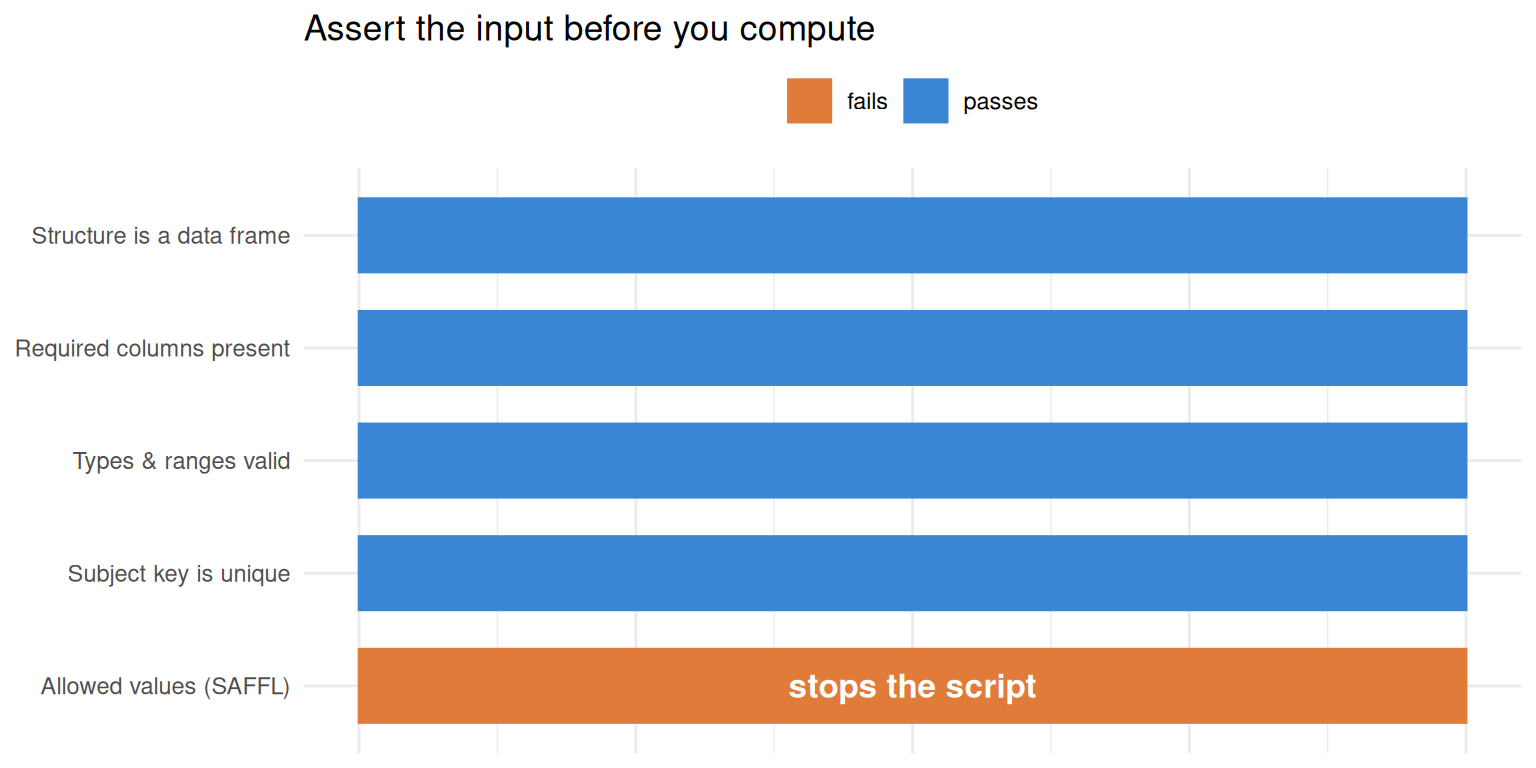
Here is the shape of the idea: a battery of assertions guards the dataset, and the one that catches the bad SAFFL fires before any analysis runs.
That orange gate is the whole point of defensive programming: the bad value is caught here, before it can become a wrong number in a QC (quality control)-signed table.
Why fail fast
An error is cheapest the moment it happens and most expensive the moment someone downstream believes the result. A SAFFL of "U" caught by an assertion on line 5 costs you one clear message and a corrected input file. The same bad value discovered in a finished efficacy table costs you a diagnosis, a fix, and a re-run of every derivation, table, listing, and figure — the TLF (tables, listings, and figures) — built on top of it. The bug did not get bigger; the blast radius did.
So the goal is not to avoid errors — bad data will always arrive — but to surface them as early as possible, as loudly as possible. That is exactly what defensive programming with assertions does: it converts a silent, latent wrong assumption into a hard, immediate stop at the point the assumption was made. A script that fails fast is easier to trust than one that always runs, because when it does run to the end, you know its inputs actually met their contract.
The dataset we defend
We validate the CDISC (Clinical Data Interchange Standards Consortium) pilot ADSL shipped in pharmaverseadam. One detail matters before any check: pharmaverseadam::adsl is a tibble, and some assertion helpers are strict about class, so we coerce it to a plain data.frame first. We look at the four columns we will assert against — the subject key USUBJID, the numeric AGE, the SAFFL (the safety-population flag, "Y"/"N"), and SEX.
adsl <- as.data.frame(pharmaverseadam::adsl)

# The columns our assertions will guard
head(adsl[, c("USUBJID", "AGE", "SAFFL", "SEX")], 5)
USUBJID AGE SAFFL SEX
1 01-701-1015 63 Y F
2 01-701-1023 64 Y M
3 01-701-1028 71 Y M
4 01-701-1033 74 Y M
5 01-701-1034 77 Y FOur contract for this dataset, stated in plain language, is: it is a non-empty data frame; it contains USUBJID, AGE, and SAFFL; USUBJID is a unique, non-missing character key; AGE is numeric, has no missing values, and lies between 0 and 120; and SAFFL contains only "Y" or "N". Everything below turns each of those clauses into an assertion.
The floor: base stopifnot()
You do not need a package to start. Base R’s stopifnot() takes any number of logical conditions and throws an error the moment one is not TRUE. It is the zero-dependency baseline every R installation already has.
adsl <- as.data.frame(pharmaverseadam::adsl)

# Each condition must be TRUE, or execution stops here
stopifnot(
  is.data.frame(adsl),
  nrow(adsl) > 0,
  all(c("USUBJID", "AGE", "SAFFL") %in% names(adsl)),
  all(adsl$SAFFL %in% c("Y", "N"))
)
Nothing prints, and that is success — every condition held, so the script continues. Now watch what happens when a condition is false. To keep the page rendering (a real failure would abort the script), we catch the error and print its message:
# Pretend an upstream merge introduced a bad flag
saffl_bad <- c("Y", "N", "U")

tryCatch(
  stopifnot(all(saffl_bad %in% c("Y", "N"))),
  error = function(e) cat("Error:", conditionMessage(e))
)
Error: all(saffl_bad %in% c("Y", "N")) is not TRUEThe message is honest but terse: it echoes the expression that failed, not the problem. It tells you all(saffl_bad %in% c("Y", "N")) is not true — you still have to work out that "U" is the offender. For a one-off check that is fine. For validating a clinical dataset, you want the message to name the bad value. That is what checkmate adds.
checkmate: rich, expressive assertions
checkmate was built for exactly this — fast argument checks for defensive R programming. Every check comes in three flavours, and knowing which to reach for is half the skill:
assert_*()throws an error if the check fails (returns the object invisibly if it passes) — the fail-fast form you put at the top of a script.test_*()returnsTRUE/FALSE— for use inside anif.check_*()returnsTRUEon success or a message string describing the failure — for collecting several problems, or (as here) for showing a failure message without aborting.
Start with structure. assert_data_frame() confirms the object is a data frame and, with min.rows, that it is not empty:
library(checkmate)
adsl <- as.data.frame(pharmaverseadam::adsl)

assert_data_frame(adsl, min.rows = 1)
It passed, so it returned the data frame invisibly and printed nothing. Next, confirm the columns the analysis depends on are present. assert_names() with must.include checks the required names exist — and its failure message is specific:
library(checkmate)
adsl <- as.data.frame(pharmaverseadam::adsl)

assert_names(names(adsl), must.include = c("USUBJID", "AGE", "SAFFL"))
Now the checks that carry the real weight — type and range, uniqueness, and allowed values — each on its column. assert_numeric() asserts AGE is numeric, spans a plausible clinical range, and has no missing values; assert_character() asserts the subject key is character and unique; assert_subset() asserts SAFFL draws only from the allowed set:
library(checkmate)
adsl <- as.data.frame(pharmaverseadam::adsl)

assert_numeric(adsl$AGE, lower = 0, upper = 120, any.missing = FALSE)  # type + range + no NA
assert_character(adsl$USUBJID, any.missing = FALSE, unique = TRUE)     # key is present and unique
assert_subset(adsl$SAFFL, c("Y", "N"))                                 # only allowed codes
All silent — the dataset meets its contract on every clause. The value of checkmate shows when a clause fails. Compare the message the bad SAFFL produces here with the terse stopifnot() one above:
library(checkmate)
saffl_bad <- c("Y", "N", "U")

tryCatch(
  assert_subset(saffl_bad, c("Y", "N")),
  error = function(e) cat(conditionMessage(e))
)
Assertion on 'saffl_bad' failed: Must be a subset of {'Y','N'}, but has additional elements {'U'}.That is the difference. checkmate does not just say the check failed — it says what is allowed and which extra element broke the rule ({'U'}). The same richness applies to ranges (Element 2 is not >= 0), uniqueness (Contains duplicated values, position 2), and missingness (Contains missing values (element 3)). The message points a colleague — or you, six months later — straight at the fix.
Non-throwing checks: test_* and check_*
An assert_*() call is a hard stop, which is what you want at the top of a script. But sometimes you want to branch on the result, or collect several problems into one report rather than dying on the first. That is what the other two flavours are for.
Use test_*() when you need a plain TRUE/FALSE — for example, inside an if:
library(checkmate)
adsl <- as.data.frame(pharmaverseadam::adsl)

if (!test_character(adsl$USUBJID, unique = TRUE)) {
  message("USUBJID is not unique — dedupe before deriving")
} else {
  cat("Subject key is unique:", test_character(adsl$USUBJID, unique = TRUE))
}
Subject key is unique: TRUEUse check_*() when you want the failure message as a value — it returns TRUE on success or the message string on failure, so you can gather several and report them together instead of aborting on the first bad column:
library(checkmate)

# Simulate a contaminated extract to see the messages, without stopping the render
checks <- c(
  SAFFL = check_subset(c("Y", "N", "U"), c("Y", "N")),
  AGE   = check_numeric(c(54, -2, 71), lower = 0),
  KEY   = check_character(c("id1", "id1", "id2"), unique = TRUE)
)
checks[checks != "TRUE"]   # keep only the clauses that failed
SAFFL
"Must be a subset of {'Y','N'}, but has additional elements {'U'}"
AGE
"Element 2 is not >= 0"
KEY
"Contains duplicated values, position 2" Each failing clause reports itself in plain language — the illegal "U", the negative age, the duplicated key — all in one pass. This is the pattern for a QC report that lists every problem with a dataset, not just the first one the script tripped over.
assertthat: readable predicates and custom messages
assertthat takes a different angle. Its assert_that() reads almost like English and specialises in producing human-friendly failure messages — including ones you write yourself. Simple predicates first:
library(assertthat)
adsl <- as.data.frame(pharmaverseadam::adsl)

assert_that(nrow(adsl) > 0, noNA(adsl$USUBJID), is.character(adsl$USUBJID))
[1] TRUEnoNA() and is.character() are assertthat’s built-in predicates; the call returns TRUE because all three hold — and it would stop the script the moment one didn’t. Its see_if() variant instead returns a TRUE/FALSE with the failure message attached rather than throwing (mirroring checkmate’s test_*()), so you can branch on the result. Slip a bad flag in and watch it report without aborting:
library(assertthat)
adsl <- as.data.frame(pharmaverseadam::adsl)

saffl_bad <- adsl$SAFFL
saffl_bad[1] <- "U"                        # contaminate one flag
see_if(all(saffl_bad %in% c("Y", "N")))    # FALSE, with the reason attached
[1] FALSE
attr(,"msg")
[1] "Elements 1 of saffl_bad %in% c(\"Y\", \"N\") are not true"The feature that sets assertthat apart is on_failure(): attach a custom message to your own predicate, so the assertion speaks your domain’s language rather than echoing R code. Define a “is a valid flag” predicate once, give it a message, and every failure reads the way a reviewer would phrase it:
library(assertthat)

# A domain predicate with a human message
is_yn_flag <- function(x) all(x %in% c("Y", "N"))
on_failure(is_yn_flag) <- function(call, env) {
  paste0(deparse(call$x), " must contain only 'Y' or 'N' (found an out-of-range flag)")
}

tryCatch(
  assert_that(is_yn_flag(c("Y", "N", "U"))),
  error = function(e) cat(conditionMessage(e))
)
c("Y", "N", "U") must contain only 'Y' or 'N' (found an out-of-range flag)Instead of Elements 3 ... are not true, the reviewer sees a sentence in the vocabulary of the study. For a validation script other people read, that readability is worth a lot.
Which one, when
All three do the same job — stop the script when an assumption is false — but they trade off dependencies, message quality, and readability differently. Reach for the right one:
| Tool | Dependency | Best for | Failure message |
|---|---|---|---|
stopifnot() |
base R (none) | a quick, zero-dependency guard; a couple of conditions | terse — echoes the failed expression |
| checkmate | one lightweight package | validating data-frame structure, types, ranges, uniqueness, allowed values; QC reports (check_*) |
rich — names the allowed set and the exact offending value |
| assertthat | one lightweight package | readable predicates; assertions whose messages non-programmers will read | human — customisable per predicate via on_failure() |
A practical default for clinical work: checkmate for data validation (its data-frame and vector checks are purpose-built for exactly this, with the most useful messages), assertthat where a custom, plain-language message matters, and stopifnot() for a throwaway guard where pulling in a package is not worth it. They coexist happily — use each where it is strongest.
Package it into a gate
The payoff of all this is a single gate function you call once at the top of every script that consumes an ADSL. It runs every assertion and, if they all pass, returns the data invisibly so it drops straight into a pipeline; if any fail, it stops with checkmate’s specific message. The contract lives in one place, is reusable across studies, and is auditable.
library(checkmate)

validate_adsl <- function(data) {
  assert_data_frame(data, min.rows = 1)
  assert_names(names(data), must.include = c("USUBJID", "AGE", "SAFFL"))
  assert_character(data$USUBJID, any.missing = FALSE, unique = TRUE)
  assert_numeric(data$AGE, lower = 0, upper = 120, any.missing = FALSE)
  assert_subset(data$SAFFL, c("Y", "N"))
  invisible(data)   # passes the data straight through when valid
}
On the real, clean ADSL the gate is silent and hands the data back, so you can open your analysis with adsl <- validate_adsl(as.data.frame(pharmaverseadam::adsl)) and know that everything after that line is running on data that met its contract:
library(checkmate)

adsl <- validate_adsl(as.data.frame(pharmaverseadam::adsl))
cat("Validated. Subjects:", nrow(adsl))
Validated. Subjects: 306And when a contaminated extract arrives — here, one subject stamped with the phantom "U" — the gate fires before a single derivation runs, naming the exact violation:
library(checkmate)

adsl_bad <- as.data.frame(pharmaverseadam::adsl)
adsl_bad$SAFFL[1] <- "U"   # the bad value from the introduction

tryCatch(
  validate_adsl(adsl_bad),
  error = function(e) cat("Validation failed:", conditionMessage(e))
)
Validation failed: Assertion on 'data$SAFFL' failed: Must be a subset of {'Y','N'}, but has additional elements {'U'}.That is defensive programming in one line at the top of a script: the "U" that once slipped silently into a safety table is now caught the instant the data is loaded — a corrected input, not a re-run TLF.
🟢 With an AI agent
Ask Prova “write a checkmate gate function that validates my ADSL — assert USUBJID is a unique non-missing key, AGE is numeric in 0–120, and SAFFL is only Y or N — and stops with a clear message if any fail” — it answers grounded in this pillar’s lessons, with runnable checkmate and assertthat code you can try on the example pharmaverse data. The runtime is the judge. Ask Prova →
Common issues
An assertion aborts the whole script when I only wanted to test a condition. assert_*() is a hard stop by design — that is the fail-fast behaviour. When you need to branch on the result instead, use the test_*() variant (returns TRUE/FALSE, good inside an if); when you want to collect several failure messages without dying on the first, use check_*() (returns TRUE or the message string). Reserve assert_*() for the top-of-script gate where stopping is the goal.
assert_data_frame() errors on a dataset that clearly is one. Many pharmaverse datasets are tibbles, and some helpers are strict about class. Coerce with as.data.frame() first (as every block here does), or pass the tibble through checks that accept it. The class, not the data, is the problem.
The message is unhelpfully terse. You are on base stopifnot(), which only echoes the failed expression. Switch that check to checkmate for a message that names the allowed set and the offending value, or to assertthat with an on_failure() message written in your study’s language. The check is the same; the diagnosis is far better.
Frequently asked questions
NoteWhat is defensive programming in R?
Defensive programming is writing code that does not trust its inputs: before it computes anything, it asserts what the data and arguments must be — correct types, values in range, required columns present, a unique key — and stops immediately with a clear message if any assumption is false. In practice that means putting a block of assertions (stopifnot(), checkmate, or assertthat) at the top of a script or function, so a bad input fails loudly and early rather than producing a wrong result that propagates downstream.
NoteWhat is the difference between assert and stopifnot?
stopifnot() is base R: it takes logical conditions and errors on the first one that is not TRUE, with a terse message that echoes the failed expression. checkmate’s assert_*() functions are typed, specialised checks (assert_numeric(), assert_data_frame(), assert_subset(), …) that validate structure, type, range, uniqueness, and allowed values, and fail with a rich message naming the exact problem. Both stop the script; assert_*() gives you far more expressive checks and better diagnostics, while stopifnot() needs no package.
NoteShould I use checkmate or assertthat?
Use checkmate for validating data — its assert_*()/test_*()/check_*() functions are purpose-built for structure, types, ranges, uniqueness, and allowed values, with the most informative failure messages, which makes it the strong default for clinical data validation. Use assertthat when a readable, custom failure message matters most — its on_failure() lets you attach a plain-language message to your own predicate. They are complementary; many scripts use checkmate for data-frame checks and assertthat where a domain-worded message helps a reviewer.
NoteHow do I validate a data frame in R?
Assert its structure and each column’s contract. With checkmate: assert_data_frame(df, min.rows = 1) for structure, assert_names(names(df), must.include = c(...)) for required columns, then per-column checks — assert_numeric(df$AGE, lower = 0, upper = 120, any.missing = FALSE) for type and range, assert_character(df$USUBJID, unique = TRUE) for a unique key, and assert_subset(df$SAFFL, c("Y","N")) for allowed values. Wrap the whole battery in one function that returns the data invisibly, and call it at the top of every script that reads the dataset.
NoteWhat is the difference between assert_, test_, and check_* in checkmate?
They share the same checks but differ in what they do with a failure. assert_*() throws an error (and returns the object invisibly on success) — the fail-fast form for a top-of-script gate. test_*() returns TRUE/FALSE — for branching inside an if. check_*() returns TRUE on success or a message string on failure — for collecting several problems into one report without aborting on the first.
Test your understanding
ImportantYour turn: write a gate for a numeric range and a required flag
Write a validate_vs() function for a vital-signs extract that must satisfy two clauses: the column SYSBP (systolic blood pressure) is numeric, has no missing values, and lies between 0 and 300; and the column ANL01FL (an analysis-population flag) contains only "Y" or "N". Use checkmate, make the function return the data invisibly on success, and confirm it stops on a data frame whose SYSBP contains a -1.
TipHint
You need two assertions: assert_numeric(data$SYSBP, lower = 0, upper = 300, any.missing = FALSE) and assert_subset(data$ANL01FL, c("Y", "N")). End the function with invisible(data) so a valid frame passes straight through. To see the failure without aborting the page, call it inside tryCatch(..., error = function(e) conditionMessage(e)).
TipSolution
library(checkmate)

validate_vs <- function(data) {
  assert_data_frame(data, min.rows = 1)
  assert_numeric(data$SYSBP, lower = 0, upper = 300, any.missing = FALSE)
  assert_subset(data$ANL01FL, c("Y", "N"))
  invisible(data)
}

# A clean extract passes silently and returns the data
vs_ok <- data.frame(SYSBP = c(120, 138, 95), ANL01FL = c("Y", "Y", "N"))
validate_vs(vs_ok)

# A bad reading (-1) trips the range assertion
vs_bad <- data.frame(SYSBP = c(120, -1, 95), ANL01FL = c("Y", "Y", "N"))
tryCatch(validate_vs(vs_bad),
         error = function(e) cat(conditionMessage(e)))
#> Assertion on 'data$SYSBP' failed: Element 2 is not >= 0.
The gate is silent on the clean frame and stops on the bad one, naming the offending element — the same pattern as validate_adsl(), retargeted to a different contract. That reusability is the point: one gate function per dataset shape, called at the top of every script that reads it.
NoteQuick check: what does
check_subset(x, c("Y", "N")) return when x contains a "U"?
A. It throws an error and stops the script. B. It returns FALSE. C. It returns a message string describing the failure (e.g. “Must be a subset of {‘Y’,‘N’}, but has additional elements {‘U’}”).
TipShow answer
C. The check_*() variants return TRUE on success or a message string on failure — they never throw. That is what makes them ideal for collecting several problems into one QC report. A describes assert_subset() (the throwing form), and B describes test_subset() (the TRUE/FALSE form). Same underlying check, three different return behaviours.
Conclusion
Defensive programming replaces “I hope the input is clean” with “the input is clean, and here is the code that proves it.” You state each assumption as an assertion — structure, required columns, type, range, uniqueness, allowed values — and put them at the top of the script, so a violation stops execution immediately with a message that names the fix. stopifnot() is the zero-dependency floor; checkmate gives rich, expressive checks with the best messages for validating a data frame; assertthat gives readable predicates and custom, human-worded failures. Package the battery into one validate_adsl()-style gate and the whole discipline collapses to a single, reusable line. The "U" that once slipped silently into a safety table now stops the script the moment the data loads — which is the entire difference between a corrected input file and a re-run submission.
Note
This lesson is reproducible: every result on this page was produced by the code shown — copy any block and run it to reproduce them. The runtime is the judge.
Reuse
Citation
BibTeX citation:
@online{2026,
  author = {},
  title = {Defensive {Programming} in {R:} {Validate} {Clinical} {Data}
    with Checkmate and Assertthat},
  date = {2026-07-01},
  url = {https://www.datanovia.com/learn/pharma-clinical/05-validation-qc/defensive-programming-checkmate},
  langid = {en}
}
For attribution, please cite this work as:
“Defensive Programming in R: Validate Clinical Data with Checkmate
and Assertthat.” 2026. July 1. https://www.datanovia.com/learn/pharma-clinical/05-validation-qc/defensive-programming-checkmate.