Reproducible Environment in R with renv: Pin Package Versions for a Clinical Analysis
Pin every package version in a project-local library and a committed lockfile, so a clinical analysis reproduces exactly on another machine and years later — the environment becomes part of the audit trail, not an afterthought
Pharma & Clinical
A practical, runnable guide to reproducible environments in R with renv. Learn why a submission’s derived datasets must be regenerable in a qualified, reproducible environment, then pin every package version with renv: read what a renv.lock lockfile records, scan a script for its dependencies, and run the init -> snapshot -> commit -> restore workflow that makes an analysis reproduce byte-for-byte on another machine and after a version drift. The lockfile-parsing and dependency-scan examples run here; the renv project commands run in your own project.
TipKey takeaways
- Reproducibility means the same code plus the same environment gives the same result — every time. In a submission, the code is only half the record; the versions of every package that produced the numbers are the other half. Pin them, or the result is not reproducible.
- renv (short for “reproducible environment”) gives each project its own private package library and records the exact version of every package in a committed lockfile, so the project’s dependencies are isolated from the system and from every other project.
- The
renv.locklockfile is the contract. It is a small JSON file listing the R version, the repositories, and — for every package — its name, exact version, and a content hash. Committed alongside your code, it is the environment record. - Three commands are the whole workflow.
renv::init()starts a project library and lockfile;renv::snapshot()writes the current versions into the lockfile;renv::restore()rebuilds the identical library from the lockfile on any machine. - For a regulated analysis the environment is part of the audit trail. A derived dataset a reviewer cannot regenerate is not validated; a committed lockfile is what lets a colleague — or an inspector, years later — rebuild the exact environment and reproduce the numbers.
Introduction
The analysis ran perfectly in 2024. The tables matched the statistical report, QC (quality control) signed off, the study locked. Then, in 2026, a reviewer asks a fair question: reproduce the primary efficacy table. You pull the code, run it on a fresh machine — and the numbers no longer match. Nothing in the code changed. What changed is the environment: a package updated to a new major version, a default flipped, a function that used to drop NAs now keeps them, and a derived value shifted in the third decimal. The code is not wrong. It is just running against a different set of packages than the ones that produced the validated result.
That gap is what reproducibility buys you: the guarantee that the same code plus the same environment always gives the same result. The code you already version-control with git. The environment — the exact version of every package the analysis loads — is the half most teams forget. This lesson closes that gap with renv (short for reproducible environment): give each project its own private package library, pin every version in a committed lockfile, and turn “it worked on my machine in 2024” into “it rebuilds identically on any machine, any year.”
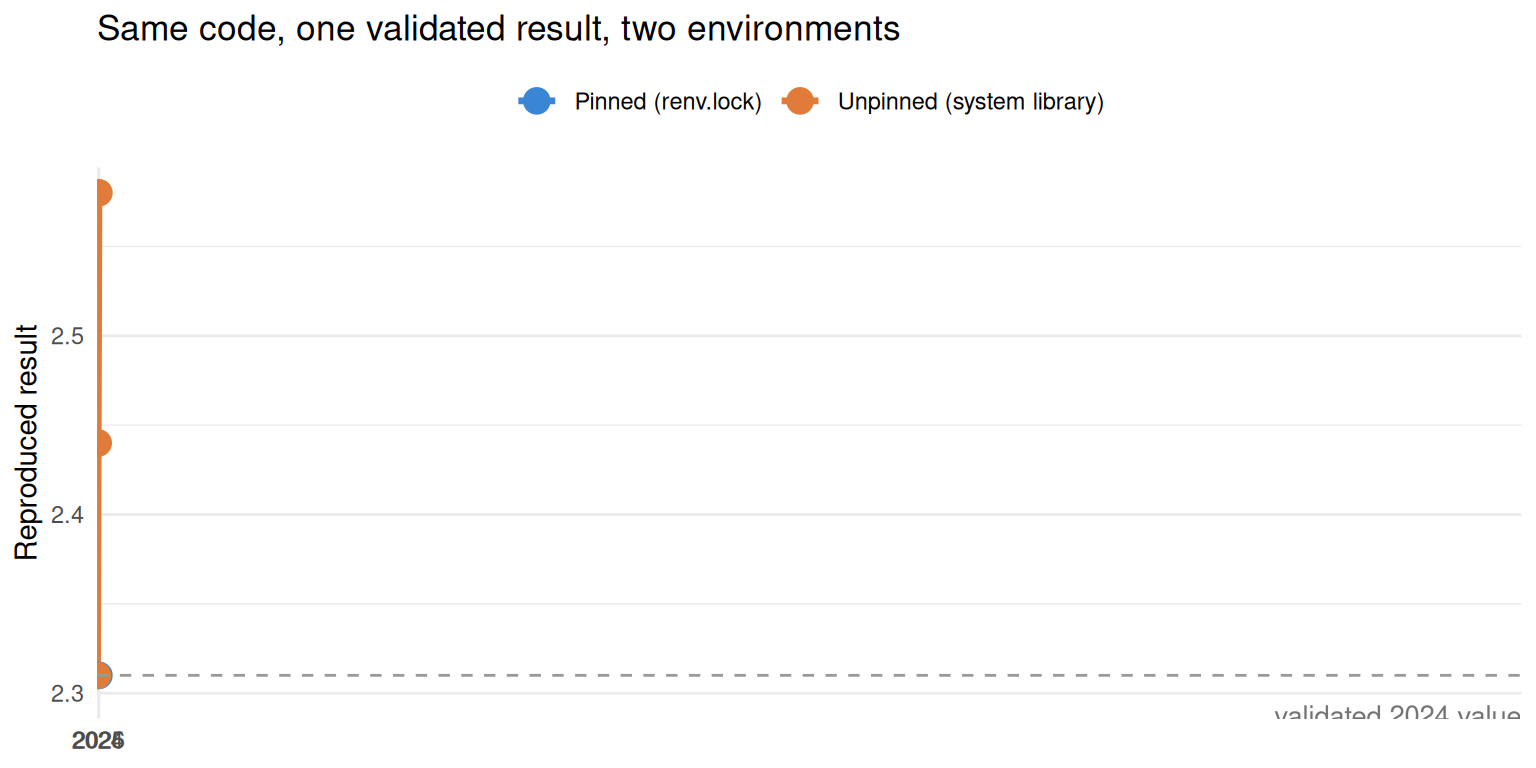
The orange line is the reviewer’s failed reproduction: the same code, run against packages that quietly moved on. The azure line is what a committed lockfile guarantees — the environment is frozen with the code, so the result never drifts. (The figure is a conceptual illustration, not a specific analysis.)
Why the environment is part of the audit trail
In a regulated analysis the standard is not “the code ran” — it is “the derived dataset can be regenerated in a controlled environment.” A result a reviewer cannot reproduce is, for validation purposes, not validated at all. That makes the software environment a first-class part of the record, alongside the code and the data.
This is exactly why the industry treats R package management as a validation concern. The R Validation Hub — a cross-pharma initiative — frames package selection as a risk-based activity in its white paper on validating R packages, and treats a reproducible, traceable environment as a responsibility each organisation must address. The FDA pilots run by the R Consortium Submissions Working Group put this into practice: the Pilot 1 submission shipped a renv.lock as part of the submission package precisely so the agency could rebuild the analysis environment.
A qualified environment — one whose software has been documented and shown fit for its intended purpose — starts from a reproducible one: you cannot qualify what you cannot rebuild. renv does not, by itself, qualify your environment; it gives you the reproducible foundation qualification is built on. The rest of this lesson is how you build it.
What renv records: the lockfile
Before running any renv command, understand the artefact everything revolves around: the lockfile, renv.lock. A lockfile is a plain-text file that records the exact version of every dependency, so the set can be reconstructed precisely later. renv’s is JSON — readable, diffable, and committed to git with your code.
You do not need renv installed to see what it records. Here is a small but realistic renv.lock; we write it to a temporary file and read it back with base R and jsonlite, exactly as any tool (or reviewer) would.
library(jsonlite)

# A realistic (abridged) renv.lock — normally generated by renv::snapshot()
lock_json <- '{
  "R": {
    "Version": "4.4.1",
    "Repositories": [
      { "Name": "CRAN", "URL": "https://packagemanager.posit.co/cran/2024-06-03" }
    ]
  },
  "Packages": {
    "ggplot2": {
      "Package": "ggplot2", "Version": "3.5.1", "Source": "Repository",
      "Repository": "CRAN", "Hash": "44c6a2f8202d5b7e878ea274b1092426"
    },
    "admiral": {
      "Package": "admiral", "Version": "1.1.1", "Source": "Repository",
      "Repository": "CRAN", "Hash": "9c7a2f8b1e4d6a0c3f5e7b9d2a4c6e80"
    }
  }
}'

lock_file <- tempfile(fileext = ".lock")
writeLines(lock_json, lock_file)

lock <- fromJSON(lock_file)
Two things are pinned at the top: the R version the analysis ran under, and the repository packages came from — here a dated snapshot of a package repository, so even “install the latest” resolves to a fixed point in time.
cat("R version pinned:", lock$R$Version, "\n")R version pinned: 4.4.1 cat("Repository: ", lock$R$Repositories$URL, "\n")Repository: https://packagemanager.posit.co/cran/2024-06-03 The heart of the file is Packages: one entry per dependency, each carrying its exact Version and a content Hash. The version is the pin; the hash lets restore() verify it rebuilt the same package byte-for-byte, not merely one wearing the same version number.
pkgs <- lock$Packages
info <- data.frame(
  Package = vapply(pkgs, `[[`, "", "Package"),
  Version = vapply(pkgs, `[[`, "", "Version"),
  Hash    = vapply(pkgs, `[[`, "", "Hash"),
  row.names = NULL
)
info
Package Version Hash
1 ggplot2 3.5.1 44c6a2f8202d5b7e878ea274b1092426
2 admiral 1.1.1 9c7a2f8b1e4d6a0c3f5e7b9d2a4c6e80That is the whole idea of a lockfile: a committed, machine-readable manifest of the exact environment. Recreate the library described here and you recreate the environment that produced the numbers.
What renv snapshots: your dependencies
How does renv know which packages to pin? It does not guess and it does not lock your entire system library — it scans your code for the packages it actually uses, via renv::dependencies(). This static scan is what renv::snapshot() calls under the hood to decide what belongs in the lockfile.
Write a small analysis script, then scan it. This runs here and returns a real result:
library(renv)

script <- tempfile(fileext = ".R")
writeLines(c(
  'library(ggplot2)',
  'library(survival)',
  'cfg <- jsonlite::fromJSON("config.json")',   # detected via :: too
  'fit <- survfit(Surv(time, status) ~ sex, data = lung)'
), script)

deps <- dependencies(script, quiet = TRUE)
unique(deps$Package)
[1] "ggplot2" "jsonlite" "survival"renv found ggplot2 and survival from their library() calls and jsonlite from a bare :: reference — the scan catches both. This matters for a snapshot: a package your code genuinely uses is captured whether you attach it with library() or call it with ::. (It does not catch a package loaded dynamically from a string — a gap we cover in common issues below.)
Your current environment
One last look before the workflow — where packages live without renv. Base R exposes the R version and the library search path, which by default are shared, system-wide across every project.
cat(R.version.string, "\n\n")R version 4.5.1 (2025-06-13) .libPaths()[1] "/usr/local/lib/R/site-library" "/usr/local/lib/R/library" These paths are global: install or update a package for one project and you have changed it for all of them — which is precisely how the 2024 result drifts when a later project bumps a shared package. renv’s fix is to put a project-local library at the front of this list, so each project resolves packages from its own private set. Everything below sets that up.
The renv workflow
Here is the discipline end to end. Everything in this section mutates a project — it creates a library, writes a lockfile, installs packages — so, unlike the blocks above, these commands cannot run inside this page. Run them in your own project; the steps and their effect are exact.
| Step | Command | What it does |
|---|---|---|
| 1. Initialize | renv::init() |
Creates a project-local library and an initial renv.lock; scans your code and installs its dependencies into the private library. |
| 2. Work | renv::install("pkg") / install.packages() |
Adds or upgrades packages into the project library only — never the shared system one. |
| 3. Snapshot | renv::snapshot() |
Writes the exact versions currently in use into renv.lock. |
| 4. Commit | git add renv.lock |
Version-controls the lockfile with your code — the lockfile is the environment record. |
| 5. Restore | renv::restore() |
On another machine, rebuilds the identical library from renv.lock. |
| 6. Check | renv::status() |
Reports drift between your library, your code, and the lockfile. |
Initialize the project
Run once, in the project’s root directory. renv::init() sets up the private library, generates the first lockfile, and — importantly — makes new package installs land in the project, not the system.
# In your project's root directory, run:
renv::init()
After this, your project has an renv/ library folder, an renv.lock, and an .Rprofile that activates renv whenever the project opens. A collaborator who opens the project is now on the project’s own library, isolated from whatever else is on their machine.
Snapshot the exact versions
Do your work — install the packages the analysis needs, write the code. When the environment is the one that produced your validated results, freeze it with renv::snapshot(). It rescans your code, resolves the versions currently installed, and writes them into renv.lock.
# In your project, after installing the packages your analysis uses:
renv::snapshot()
# renv then writes/updates renv.lock with the exact versions in use.
Then commit the lockfile. This is the step that makes the environment part of the record: renv.lock travels with your code in git, so the state of the environment at the moment of validation is captured forever.
git add renv.lock
git commit -m "Snapshot analysis environment"
Restore the environment elsewhere
This is the payoff. On a fresh machine — a colleague’s laptop, a validation server, a CI runner, or a reviewer’s environment years later — clone the project and run renv::restore(). renv reads renv.lock and rebuilds the library to the exact versions it records, verifying each against its hash.
# On any other machine, after cloning the project:
renv::restore()
# renv reads renv.lock and installs the exact versions it records.
The reviewer who could not reproduce the 2024 table now can: renv::restore() reinstates the precise packages that produced it, and the numbers match.
Check for drift
As the project evolves, renv::status() tells you whether your installed library, your code, and your lockfile still agree — for example, if you installed a new package but have not snapshotted it, or the lockfile lists something your code no longer uses.
# In your project, to see whether the library and lockfile are in sync:
renv::status()
If status() reports the lockfile is out of date, snapshot() brings it back in line — and you commit again.
Pinning and updating specific versions
Because renv installs into the project library, controlling a version is just installing the one you want and snapshotting. To pin a specific release, install it explicitly and freeze it:
# In your project — install an exact version, then record it:
renv::install("ggplot2@3.5.1")
renv::snapshot()
When you deliberately want newer packages, renv::update() upgrades them in the project library; you then re-run your analysis, confirm the results still hold, and snapshot() to record the new state. The point is that upgrades are intentional and recorded, never the silent, ambient drift that broke the reviewer’s reproduction.
🟢 With an AI agent
Ask Prova “walk me through setting up renv for a clinical analysis in R — init, snapshot, commit the renv.lock, and restore it on a validation server — and explain what the lockfile records and why a reviewer needs it” — it answers grounded in this pillar’s lessons, with the exact renv::init()/snapshot()/restore() workflow and runnable lockfile-parsing code you can try. The runtime is the judge. Ask Prova →
Common issues
The lockfile is not committed, so nobody else can restore it. renv.lock only records the environment if it travels with the code. If it sits ignored or uncommitted, a colleague who clones the project has the code but not the pins, and drift returns. Treat renv.lock like source: git add renv.lock on every snapshot, and never add it to .gitignore.
A package the analysis really uses is missing from the snapshot. renv::snapshot() pins what its static scan finds — library() calls and pkg::fun() references. It cannot see a package loaded dynamically, e.g. library(pkg, character.only = TRUE) where pkg is a variable, or a name built at runtime. Either reference the package with a plain library(pkg)/pkg::fun() somewhere so the scan detects it, or snapshot everything installed with renv::snapshot(type = "all"). Run renv::status() to catch the gap before it ships.
renv::restore() warns about a different R version. The lockfile records the R version, but renv restores packages, not R itself. If the lockfile says R 4.4.1 and you are on 4.5, renv proceeds but warns — and a package compiled for a different R can behave differently. For a fully reproducible environment, pin R too: install the recorded R version (or run inside a container image built on it), then restore(). The R version in renv.lock tells you exactly which one to match.
Frequently asked questions
NoteWhat is renv in R?
renv (short for reproducible environment) is an R package that gives each project its own private package library and records the exact version of every dependency in a lockfile (renv.lock). Its three core commands are renv::init() (create the project library and lockfile), renv::snapshot() (write the current versions into the lockfile), and renv::restore() (rebuild the identical library from the lockfile on another machine). It isolates each project’s packages from the system and from every other project, so an analysis reproduces exactly.
NoteWhat is a renv.lock file?
renv.lock is a small JSON lockfile that records the exact environment: the R version, the package repositories, and — for every package — its name, exact version, and a content hash (format reference). You commit it to git alongside your code. Given the lockfile, renv::restore() can rebuild the precise library it describes on any machine, which is what makes the analysis reproducible.
NoteHow do I pin package versions in R?
Use renv. Install the exact version you want into the project library — renv::install("ggplot2@3.5.1") — then renv::snapshot() to record it in renv.lock, and commit the lockfile. Because renv installs into a project-local library rather than the shared system one, the pin affects only that project. To reproduce the pinned set elsewhere, renv::restore() rebuilds the library to the versions the lockfile records.
NoteWhat is the difference between renv and packrat?
packrat was renv’s predecessor — the earlier Posit (RStudio) tool for project-local package management. renv replaced it with a faster, simpler design: a global package cache shared across projects (so restores are quick and disk-cheap), a cleaner lockfile, and better tooling. packrat is no longer actively developed; new projects should use renv. The concept is the same — a project library plus a committed lockfile — but renv is the current, maintained tool.
NoteDoes renv make my study submission-ready?
renv makes your analysis reproducible, which is a prerequisite for a qualified environment — but it is not, by itself, the whole of validation. It captures the exact package versions so a reviewer can rebuild the environment and regenerate your derived datasets; the FDA pilots run by the R Consortium Submissions Working Group included an renv.lock in the submission package for exactly this reason. Full qualification also covers package risk assessment (see the R Validation Hub), documentation, and often pinning R itself via a container. renv is the reproducible foundation the rest is built on.
Test your understanding
ImportantYour turn: read a lockfile and plan the restore
You are handed a project with a committed renv.lock but no renv/ library folder (a colleague committed the lockfile but not the — correctly git-ignored — library). Two tasks:
- Using base R and
jsonlite, read therenv.lockbelow (write it to atempfile()first) and print the R version it pins and a data frame of each package’s name and version. - In prose, state the single command your colleague must run to rebuild the environment, and one reason
renv::restore()might still warn even after it succeeds.
{
  "R": { "Version": "4.4.2", "Repositories": [{ "Name": "CRAN", "URL": "https://packagemanager.posit.co/cran/2024-10-01" }] },
  "Packages": {
    "dplyr":  { "Package": "dplyr",  "Version": "1.1.4", "Hash": "aaa" },
    "rlang":  { "Package": "rlang",  "Version": "1.1.4", "Hash": "bbb" }
  }
}
TipHint
Write the JSON to tempfile(fileext = ".lock") with writeLines(), read it with jsonlite::fromJSON(), then pull lock$R$Version and build a data frame from lock$Packages with vapply(pkgs, \[[`, ““,”Version”). For task 2, the rebuild command is a singlerenv::call, and the warning relates to theR$Version` field.
TipSolution
library(jsonlite)

lock_json <- '{
  "R": { "Version": "4.4.2", "Repositories": [{ "Name": "CRAN", "URL": "https://packagemanager.posit.co/cran/2024-10-01" }] },
  "Packages": {
    "dplyr":  { "Package": "dplyr",  "Version": "1.1.4", "Hash": "aaa" },
    "rlang":  { "Package": "rlang",  "Version": "1.1.4", "Hash": "bbb" }
  }
}'
f <- tempfile(fileext = ".lock")
writeLines(lock_json, f)
lock <- fromJSON(f)

cat("R version:", lock$R$Version, "\n")   # 4.4.2

pkgs <- lock$Packages
data.frame(
  Package = vapply(pkgs, `[[`, "", "Package"),
  Version = vapply(pkgs, `[[`, "", "Version"),
  row.names = NULL
)
#>   Package Version
#> 1   dplyr   1.1.4
#> 2   rlang   1.1.4
Task 2. The colleague runs renv::restore() in the project — it reads renv.lock and rebuilds the library to dplyr 1.1.4 and rlang 1.1.4. It may still warn about the R version: the lockfile pins R 4.4.2, but restore() installs packages, not R, so on a different R it proceeds with a warning. Matching R (via the recorded version or a container image built on it) removes the warning and makes the environment fully reproducible.
NoteQuick check: which command writes the current package versions into
renv.lock?
A. renv::restore() B. renv::snapshot() C. renv::init()
TipShow answer
B. renv::snapshot() scans your code, resolves the versions currently installed, and writes them into renv.lock — it is how you record the environment. renv::restore() goes the other way, rebuilding the library from an existing lockfile. renv::init() sets the project up in the first place (creating both the library and an initial lockfile), but it is snapshot() you re-run to capture later changes.
Conclusion
Reproducibility is not an aspiration you bolt on at submission time — it is a property you build in from the first renv::init(). Give the project its own library, snapshot() the exact versions that produced your validated results, commit the renv.lock, and any machine — a colleague’s, a validation server’s, a reviewer’s, years later — can renv::restore() the identical environment and reproduce the numbers. The lockfile records the R version, the repositories, and every package’s exact version and hash; that committed file is the environment half of the audit trail, the half the raw code alone can never carry. The 2024 result that a reviewer could not reproduce in 2026 becomes, with one committed lockfile, a result that reproduces on demand — which is the entire point of a reproducible, qualifiable environment.
Note
This lesson is reproducible: the lockfile-parsing and dependency-scan blocks reproduce here — copy any of them and run them to reproduce their output. The renv project commands (init/snapshot/restore/status) run in your own project, since they create a library and write a lockfile; copy them there. The runtime is the judge.
Reuse
Citation
BibTeX citation:
@online{2026,
  author = {},
  title = {Reproducible {Environment} in {R} with Renv: {Pin} {Package}
    {Versions} for a {Clinical} {Analysis}},
  date = {2026-07-01},
  url = {https://www.datanovia.com/learn/pharma-clinical/05-validation-qc/reproducibility-renv},
  langid = {en}
}
For attribution, please cite this work as:
“Reproducible Environment in R with Renv: Pin Package Versions for
a Clinical Analysis.” 2026. July 1. https://www.datanovia.com/learn/pharma-clinical/05-validation-qc/reproducibility-renv.